Sections
Sections are where the landing page is edited. They are their own item in the admin sidebar, under Sections. The screen arranges the homepage sections, sets their order, and turns them on or off. The screenshot is the Agency panel.
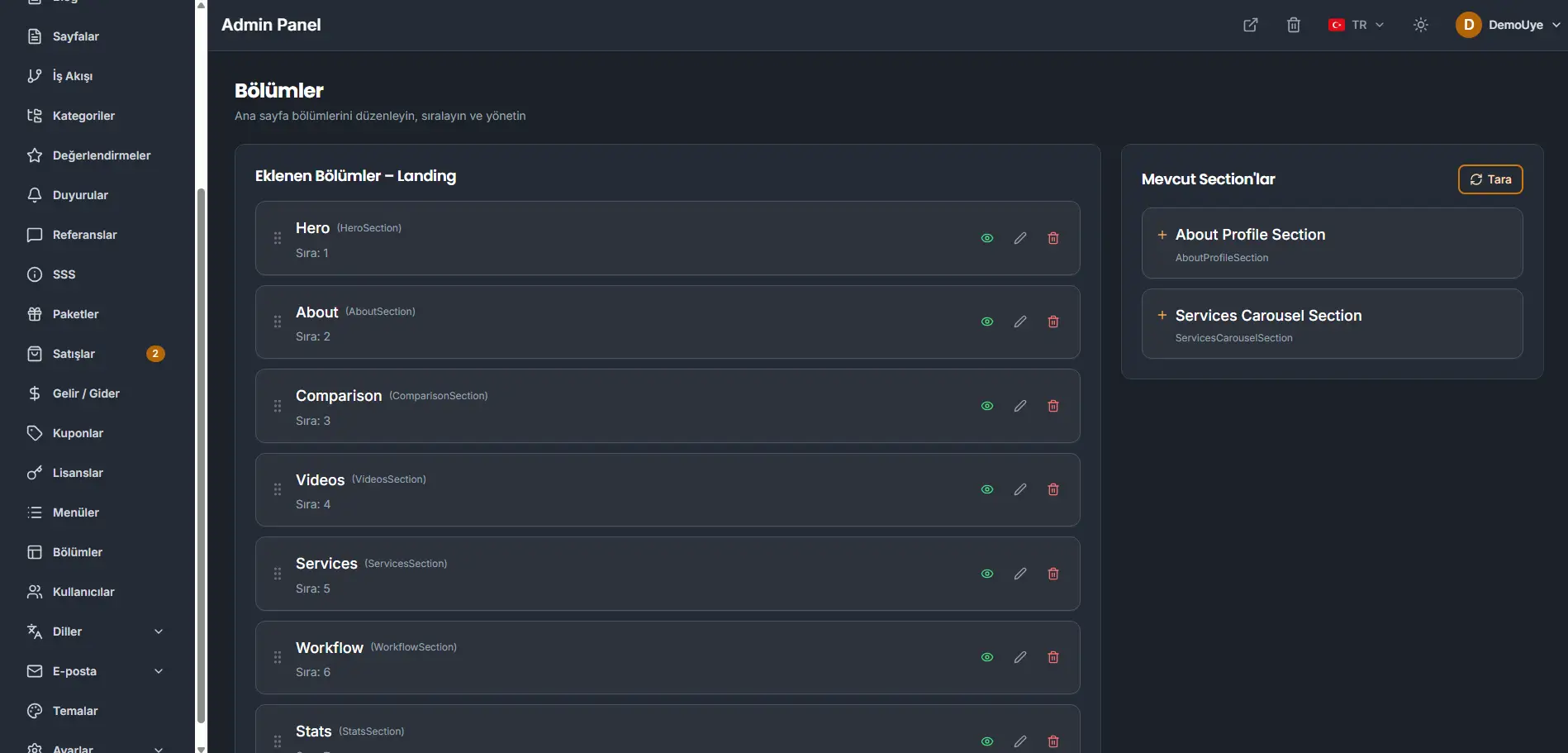
Added sections — Landing is the list already on the page, in order. Each row shows the section name, its type, and its order. The eye shows or hides that section. The pencil opens the editor. The trash removes the section from the page.
Available sections lists sections the panel can still add. Scan looks for sections that are not on that list yet.
Edit a section
Edit opens the section. Section name is the label in the list. The fields under Content are the lines that section shows.
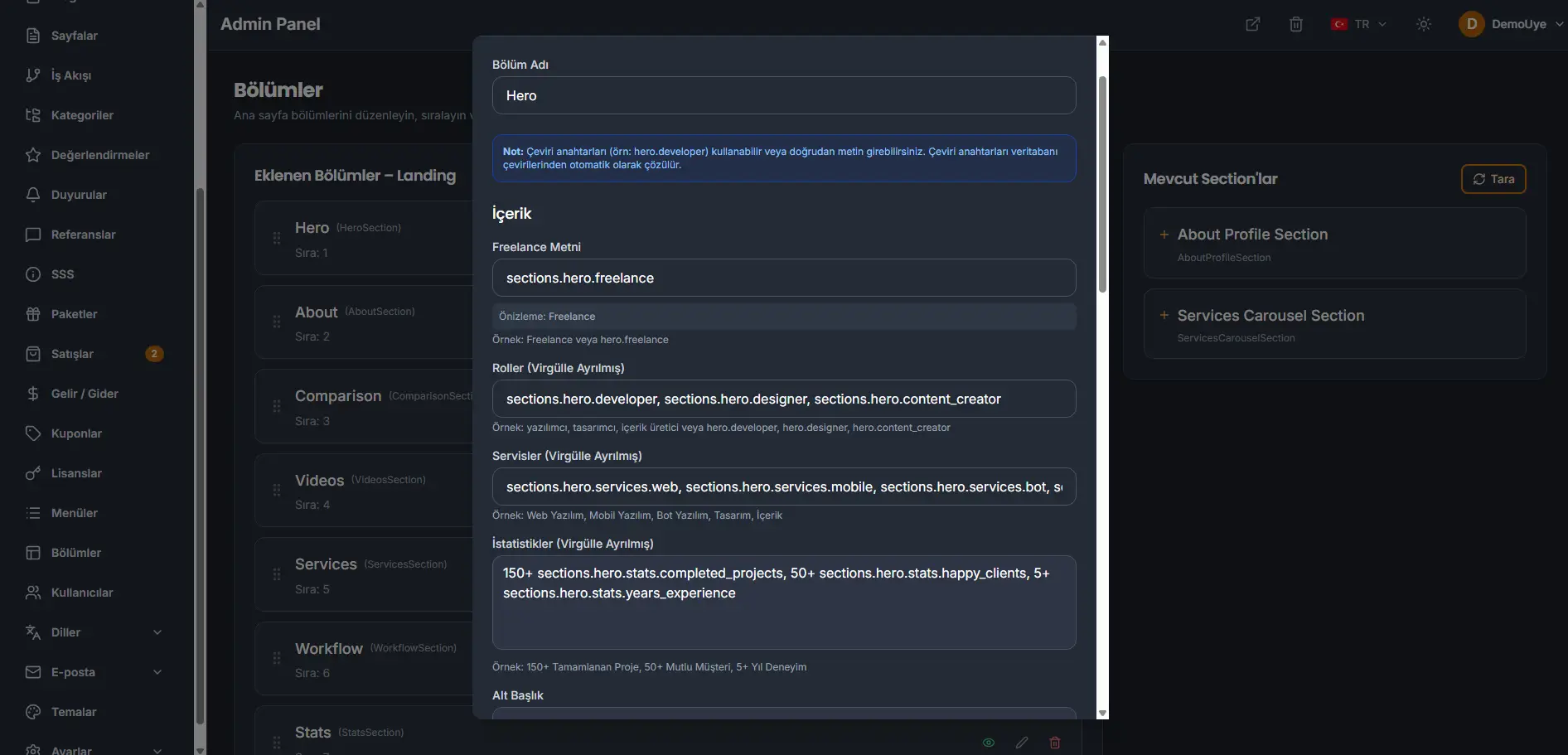
A field accepts two kinds of value. A translation key, such as sections.hero.freelance, is filled from Translations in each language. Plain text is used as written. Use a key when the line should exist in English, Turkish, and German. Type the sentence when one wording is enough. The panel accepts both.
If you write sections yourself, you can add your own landing widgets and place them on this screen. How to build one is written in the doc file inside the sections folder that ships with the panel. There is no fixed set of designs. The landing page can be built as your own.