Pages
Pages are their own item in the admin sidebar, under Pages. The screen adds and edits the public pages, such as About and Contact. The screenshot is the Agency panel.
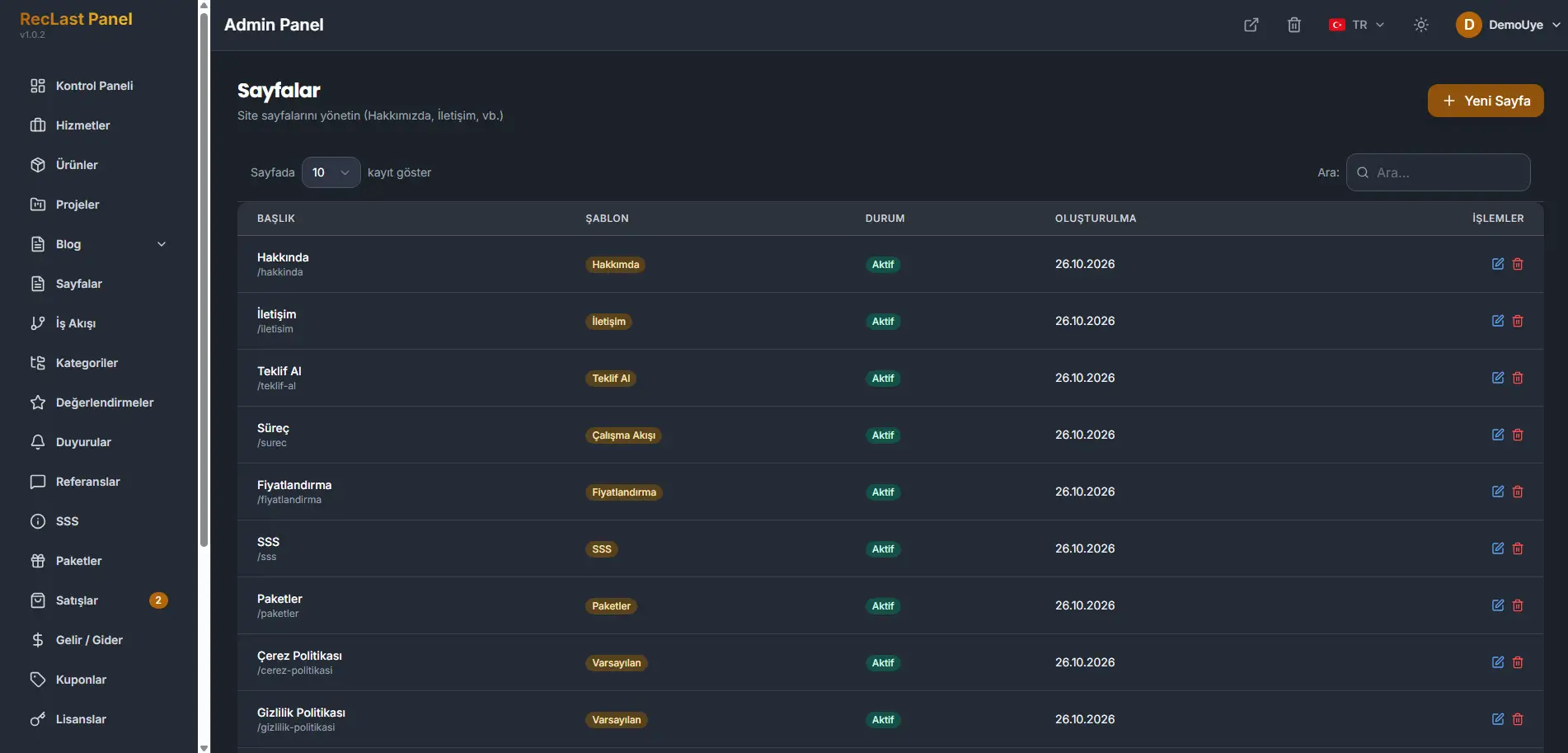
New page adds a page. Each row shows the title, the slug, the template, and the status. A row can be edited or deleted. Search filters the list.
A page is shaped in one of two ways. Choose a template, or build the page from sections.
The panel ships with twelve page templates. The default template is a blank page. On the screenshot, About, Contact, Request a quote, Workflow, Pricing, FAQ, and Packages each use their own template. Cookie Policy and Privacy Policy use the default template.
Choosing sections builds a page entirely from those sections, instead of from a fixed template. That is how one site can hold many page shapes. The sections you customize on Sections widen that range further.