Outgoing mail is not a tab inside Settings. It has its own group in the admin sidebar: Email, then Email settings. The screen title is Email settings. The screenshot is the Agency panel.
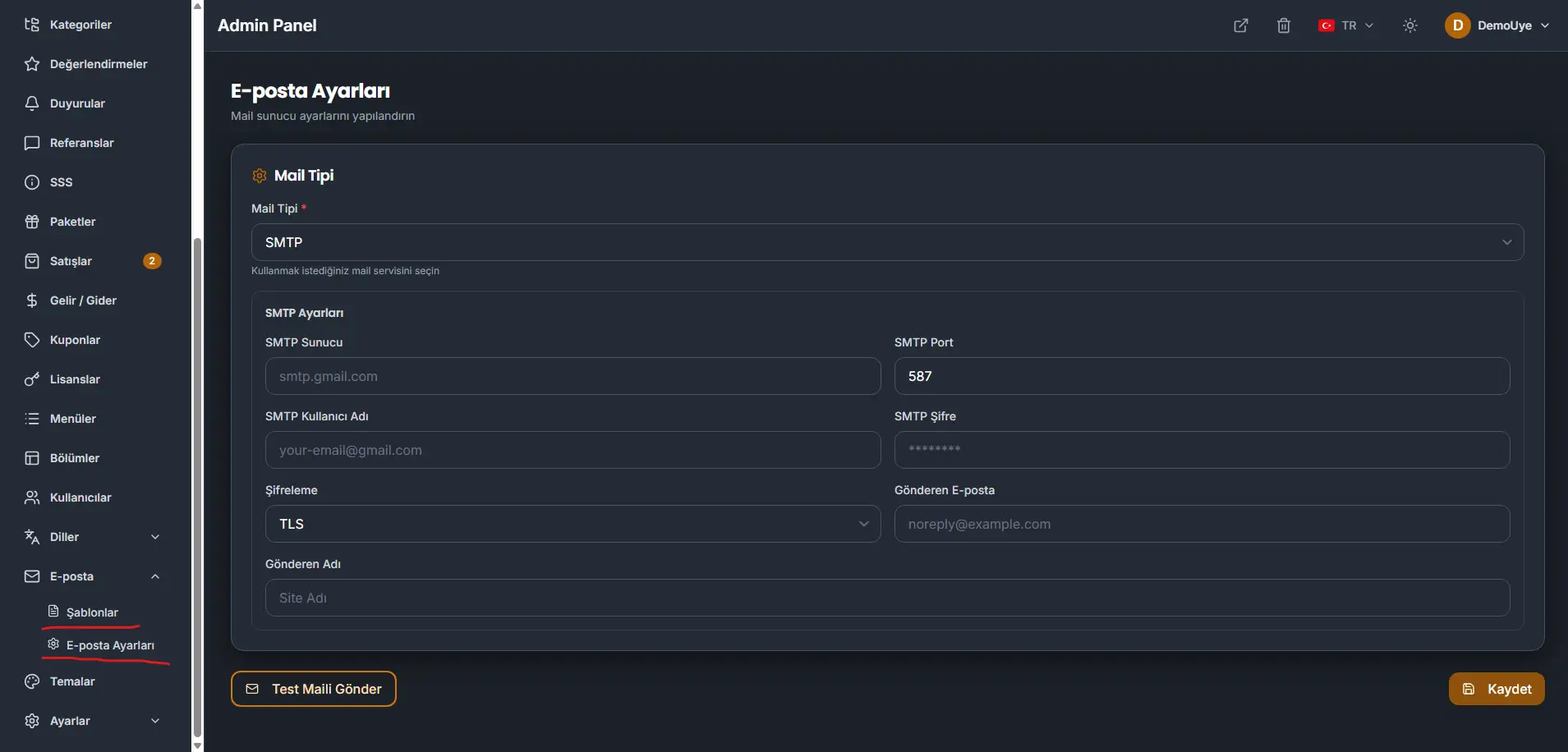
Mail type
Mail type is required. It chooses the mail service this installation sends through. In the screenshot the service is SMTP.
SMTP settings
These fields are the connection for an SMTP service.
- SMTP server. The host name. The example on the screen is
smtp.gmail.com. - SMTP port. The example is
587. - SMTP username. The account that signs in to that server. The example is
[email protected]. - SMTP password. The screen shows it masked.
- Encryption. The example is TLS.
- From email. The address recipients see. The example is
[email protected]. - From name. The name recipients see. In the screenshot this is the site name.
Send test email tries the connection. Save writes the settings.
Templates
Email → Templates is where the design of outgoing mail is edited. Registration, contact replies, product-sale messages, and invoice mail are designed here. Those messages do not keep a fixed layout in the code. Change the design from this list.