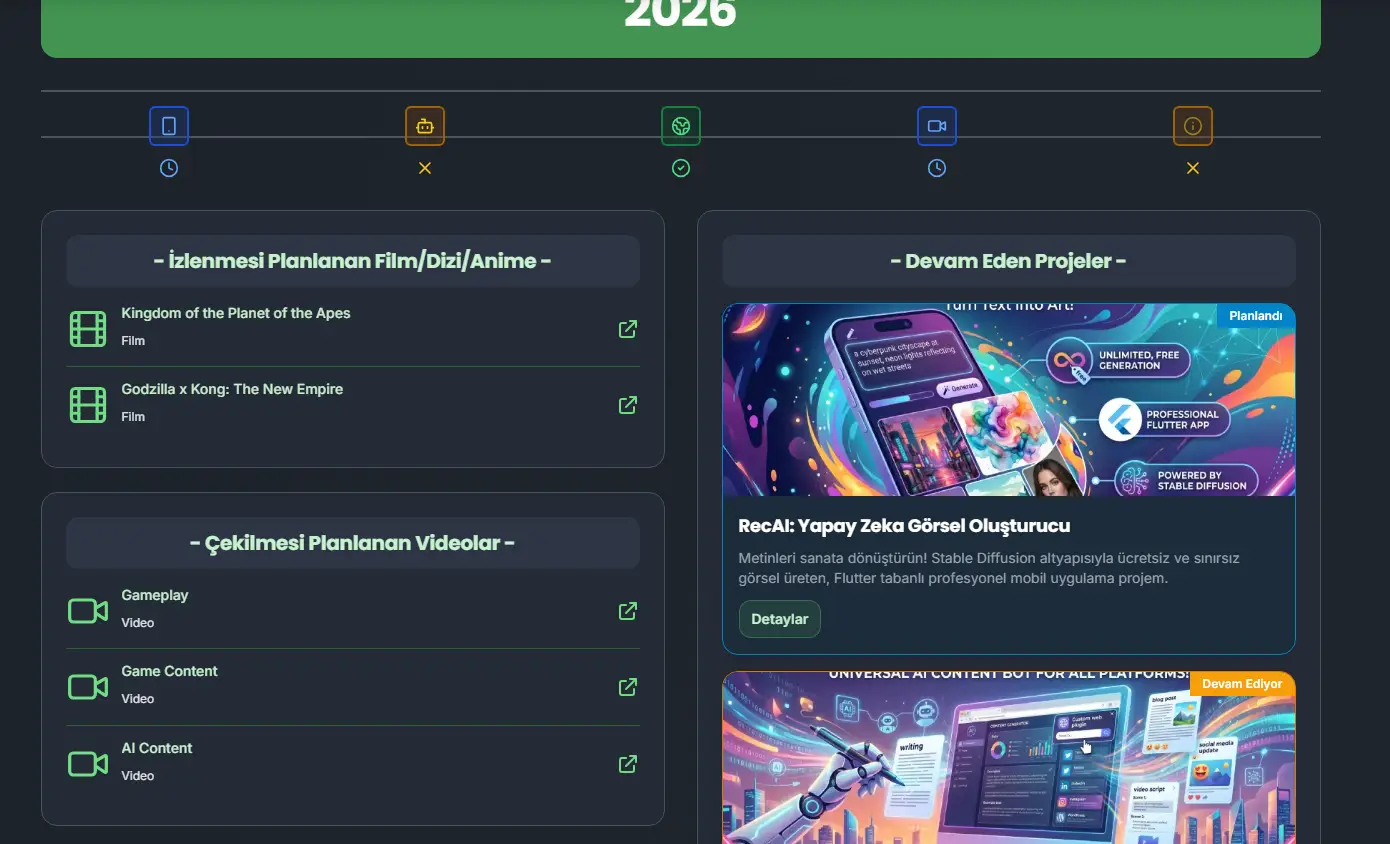
Workflow
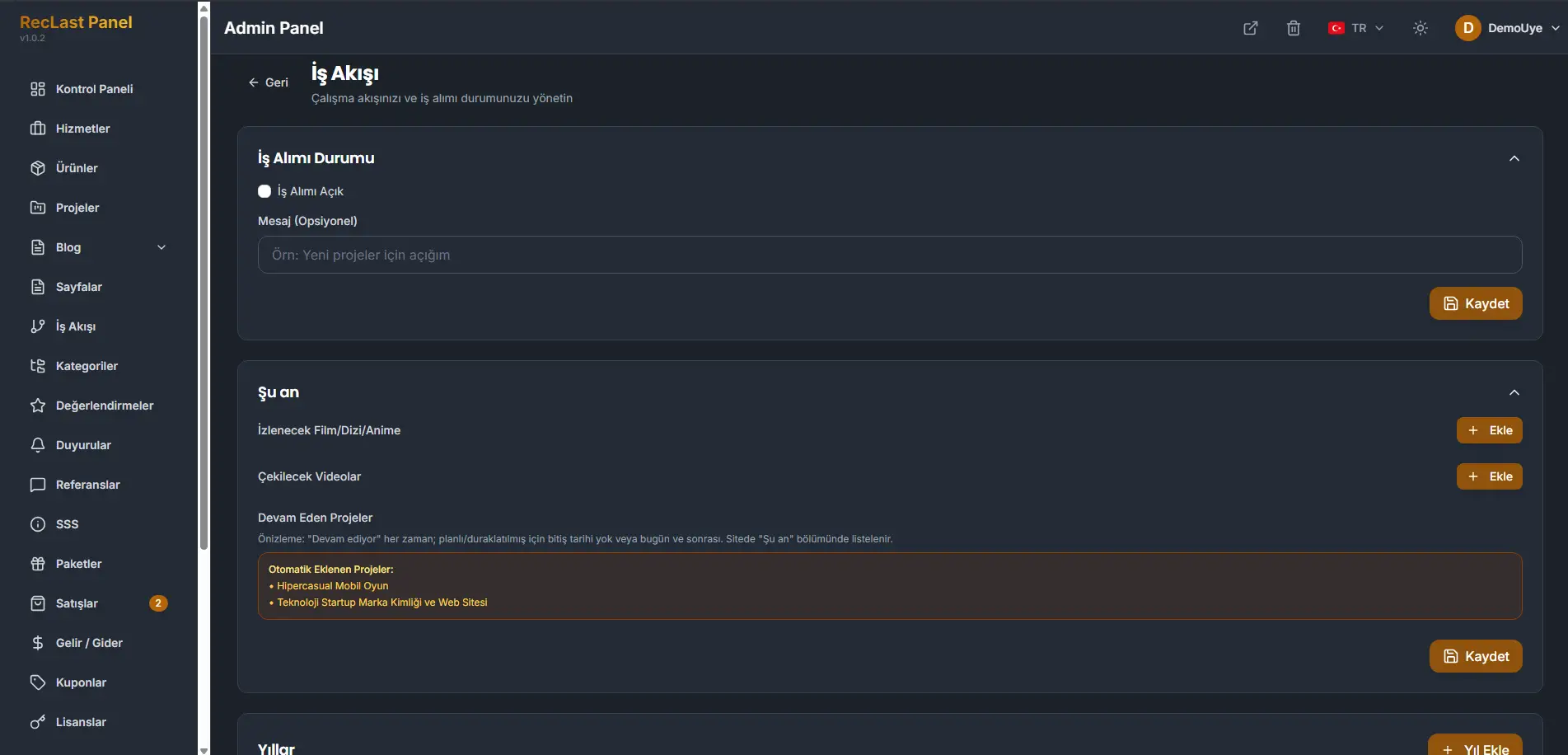
Workflow is its own item in the Agency admin sidebar, under Workflow. The screen title is Workflow, and the line under it is Manage your workflow and whether you are taking on work.
This screen is edited in place. There is no list of records to add and delete. You change the cards that are already there, then save the card you changed.
Availability
Work intake status is the switch for new work. Open for work means new work is being accepted.
Message is optional. The placeholder is a line such as being open for new projects. Write the sentence you want visitors to read.
Save on this card writes the switch and the message.
Right now
Right now is what the studio is in the middle of. The groups here are lists you fill with Add.
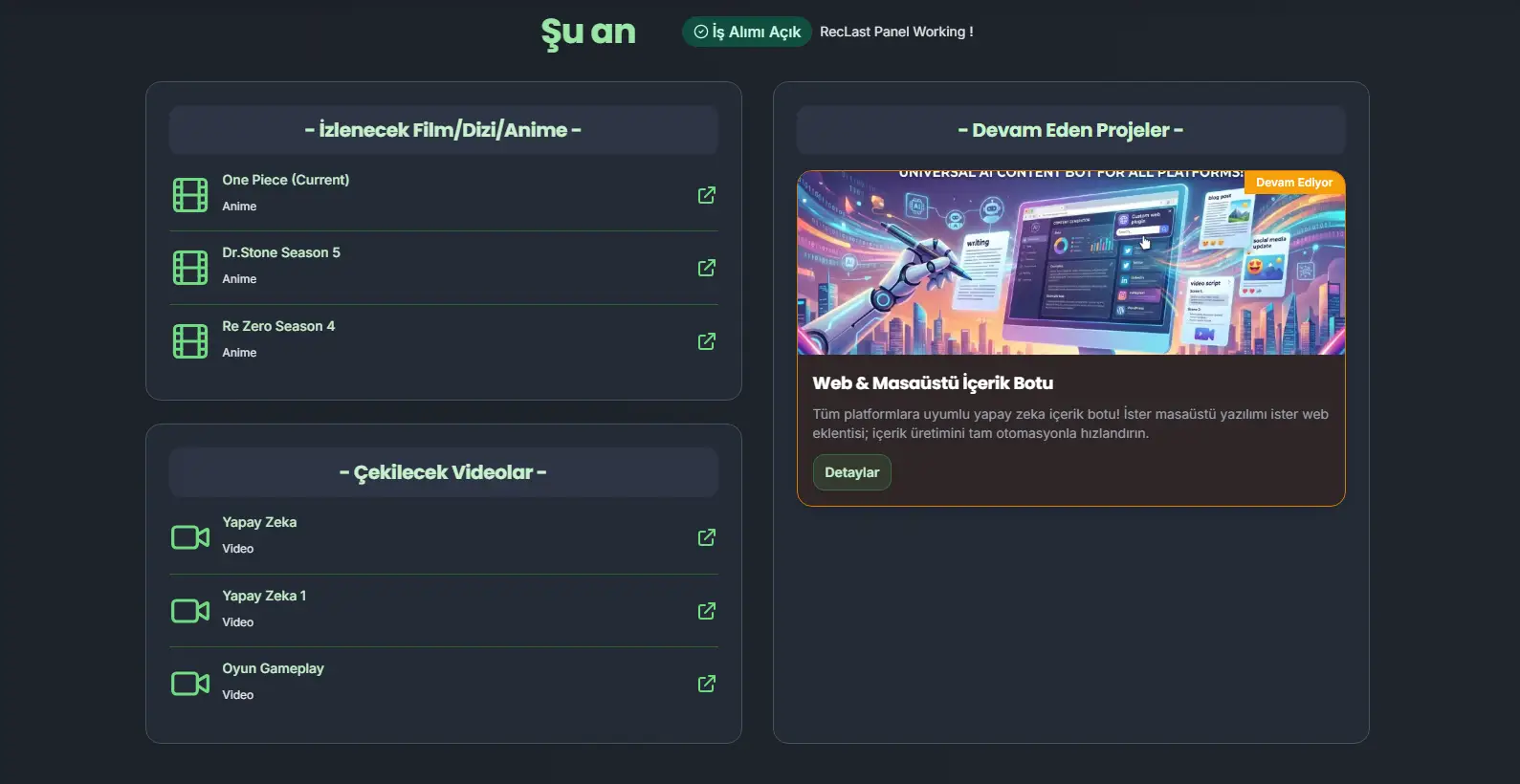
The names in the screenshot are one studio’s own arrangement, not a fixed catalog. That studio keeps a list of films, series, and anime they watch and rate, and a list of videos they are going to shoot, because they also publish content. The same groups can be books, or any other work you want to show. The titles are translations, so the wording can be rewritten. How the groups are built can be changed further when you customize the page.
Ongoing projects are not typed in here. The panel adds them from Projects.
A project that is In progress is always included. A project that is Planned or Paused is included when it has no end date, or the end date is today or later. On the site, these projects are listed in Right now.
The box under the rule lists the projects the rule currently includes. Those names belong to that panel.
Save on this card writes the lists.
Years
Years is the record by year. Add year inserts a year. Until you do, the card says that no year has been added yet, and points you at that button.
Each year pulls its projects on its own, from the dates on the project. If a project sits in the wrong year, change the start or the end on Projects. The workflow page reads those dates. It does not keep a separate date of its own.
On the site
Right now on the public page shows the intake state, the optional message, the lists you filled, and the ongoing projects.
A year you added opens as that year, with the work that falls in it.