Sales
Sales are their own item in the Agency admin sidebar, under Sales. The screen title is Sales, and the line under it is View and manage all sales.
A sale on the site lands on this list once payment is in live use. You then approve or reject it here. Until that is on, add the sale by hand. A sale that did not happen on the site stays a manual sale. That is what the manual form is for. From the licence on a line through to the invoice, the sale is created and edited on this screen.
Payment method and Invoice method stay off while the stack is in test mode. The same note is under Configuration. Use Add manual sale for now.
The list
Add manual sale opens the form. Show sets how many rows the page holds. The usual count is 10. The search field looks through order numbers and customers. All statuses and All payments narrow the list. Filter applies that choice.
Each row shows:
- Order number. The number that identifies the sale.
- Customer. The name, and the email under it when the sale is tied to a user.
- Status. Approved or Pending.
- Payment. Paid or Pending.
- Total. The amount, in the currency the panel is displaying.
- Date. The date of the sale.
The line under the table states which rows are on the page, out of the full count. Previous and Next move between pages. The numbers between them are the pages.
Add a manual sale
Add manual sale creates a sale outside the cart. The line under the title says the user is optional, and a line can be a product, a package, a service, or a free line.
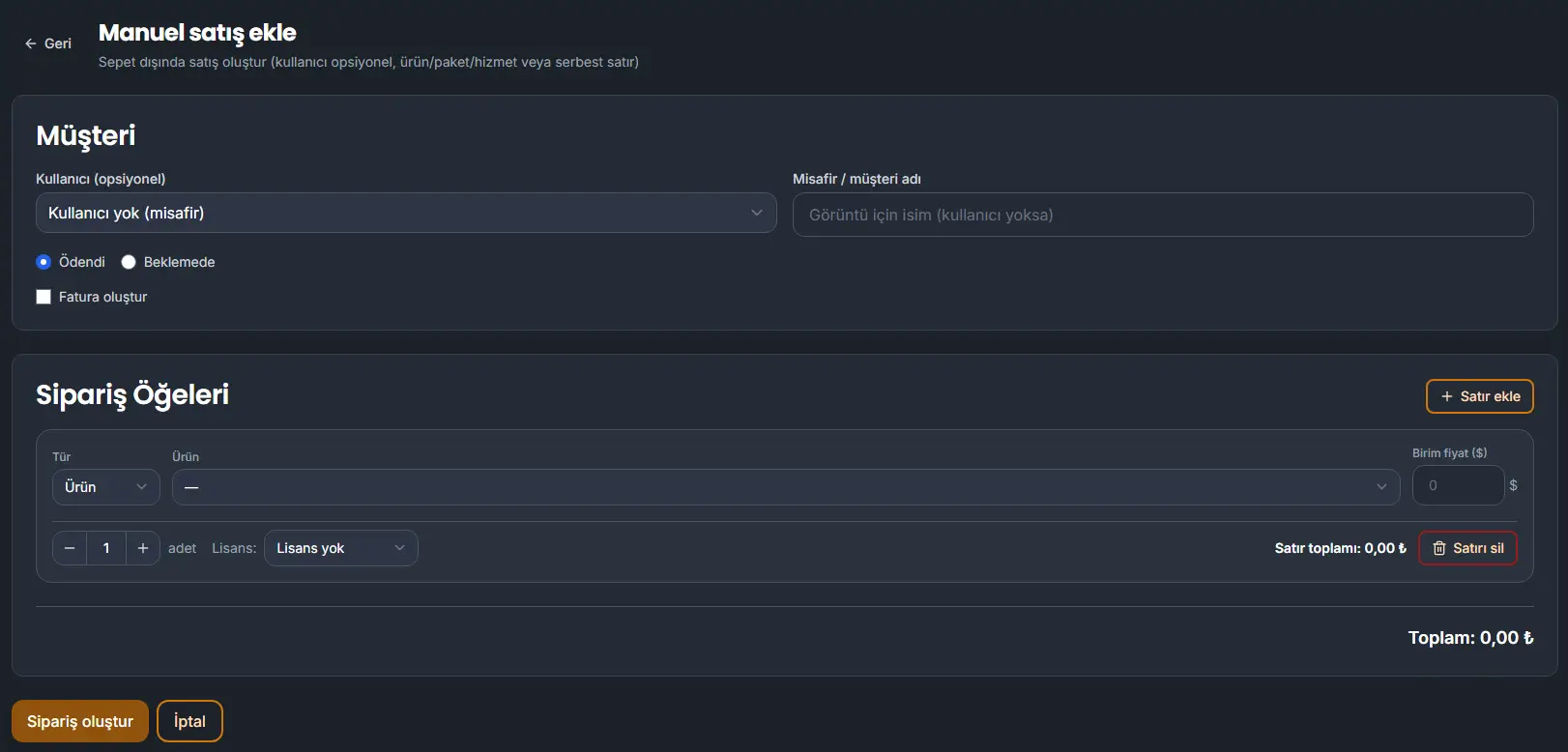
Customer
User is optional. No user (guest) is the choice when the buyer is not a member.
Guest / customer name is the name shown when there is no user.
Paid and Pending set the payment state. Paid is the choice the form can open on.
Create invoice writes an invoice with the sale.
Order items
Add line inserts a line. Delete line removes it.
Type is Product, Package, Service, or a free line. The form opens on Product. The next field is the record of that type. A free line has no record behind it.
Unit price uses the default currency from Configuration. The label shows that currency. The line total and the order total are shown in the currency the panel is displaying.
Quantity is the count. The form opens at 1.
Licence starts at No licence. Choose a licence when the line should include one.
The line shows its own total. The order total sits under the lines.
Create order writes the sale. Cancel leaves the form without writing it.